
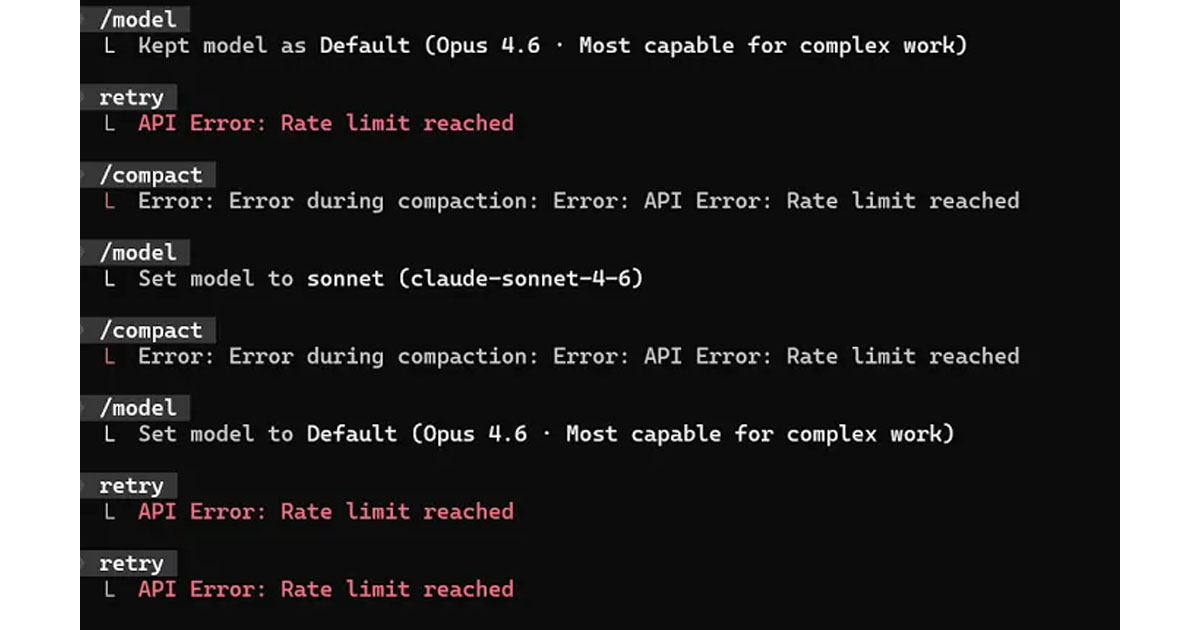
Over the past few months, I had watched the token usage in my AI development workflow creep upward. Some of that was expected. The codebase was growing, my agents had more instructions, and I was asking them to handle longer tasks. Still, the increase was large enough that I started examining every source of context.
Jira became one of the suspects.
I kept hearing a recurring warning about connecting AI agents to Jira. The claim was that Jira’s API returns so much unnecessary data that it causes serious token burn. Linear was frequently suggested as the cleaner, leaner alternative.
The recommendation sounded plausible. Anyone who has looked at a raw Jira API response has seen the nested objects, avatars, custom fields, and heavy rich text structures. But migrating a project management system is a massive undertaking. Before moving my entire workflow, I wanted to know if Jira was actually the problem, if the integration was the problem, or if the claim was just repeated folklore.
So I set up a live test.
Why not just use Markdown and Git?
Before diving into the numbers, it is worth addressing a common pushback: Why use a SaaS project management tool for an AI workflow at all? If you want durable memory, why not just drop a .project folder in your repo, track tasks in a Markdown file, and let Git handle the history? It costs zero API tokens and has zero latency.
For a single script, that works perfectly. But when you are building a mature platform and orchestrating multiple specialized agents, a local text file breaks down quickly.
When you have a multi-agent system handling different parts of the pipeline, you run into concurrency and context issues.
A project management tool solved this for me by acting as a visual state machine and a queryable external database. Agents have finite context windows. Instead of forcing an agent to read a massive local tracking file to figure out what to do next, the agent can simply query an endpoint for “Ready for Development” tickets. It offloads the context burden. Plus, when I step away from the keyboard for two days, a Kanban board gives me an instant visual dashboard of my autonomous system’s brain so I can pick up exactly where we left off.
How I set up the benchmark
To get an accurate comparison, I created six synthetic issues in Jira and six matching issues in Linear. Every pair had identical business content, including titles, descriptions, priorities, workflow states, labels, comments, and blocking relationships.
I designed the benchmark and used an AI to execute the connector calls, collect the responses, and calculate the token counts. I reviewed the methodology and results before writing this article.
I measured the “cold total” for several common agent workflows. This cold total included the tool definition, the call arguments, and the exact results placed into the model’s context. Everything was tokenized using GPT-5’s o200k_base tokenizer (verified using OpenAI’s tiktoken library).
Note: The connector interface does not expose provider-billed model usage per individual tool call. These figures represent the connector-attributable context tokens, not the final invoice. System instructions and model reasoning were excluded from the comparison.
Jira was much heavier by default
The first set of results completely supported Jira’s bloated reputation.
Workflow                               Jira tokens    Linear tokens    Difference
────────────────────────────────────────────────────────────────────────────────────────
List six issues, default               9,873          2,885            Jira 3.42x heavier
List six issues, selected fields       6,693          2,885            Jira 2.32x heavier
Retrieve one issue plus comments       1,751          1,329            Jira 1.32x heavier
Selecting specific fields in Jira helped, but not enough. Even after requesting a limited field set, the six-issue Jira result consumed 6,343 tokens. Linear handled the same six records in 2,370 tokens.
This is exactly the kind of result that leads people to abandon Jira. For read-heavy agent workflows, that kind of overhead adds up quickly.
But the raw numbers did not explain where all those extra tokens were coming from.
The difference disappeared after normalization
To find out what was eating the context window, I built a normalization layer. I converted the raw responses from both platforms into an identical, compact business object containing only the core fields: ID, title, description, status, priority, type, labels, and timestamps.
The normalized comparison told a completely different story.
Normalized Payload                     Jira tokens    Linear tokens    Difference
────────────────────────────────────────────────────────────────────────────────────────
Six-issue list                         907            856              Jira +6%
Issue plus comment                     236            231              Jira +2%
The actual business data was almost exactly the same size.
Jira’s extra thousands of tokens came entirely from the representation surrounding that data. The default responses included nested project objects, repeated identifiers, API URLs, icon URLs, and metadata that offered zero value to an AI model.
Rich text was another massive contributor. Jira Cloud uses Atlassian Document Format (ADF) for descriptions and comments. ADF represents formatting as a deep hierarchy of JSON nodes. A simple sentence might be wrapped in a document node, a paragraph node, a content array, and multiple text nodes. That structure is great for rendering a UI, but it is incredibly wasteful when an agent just needs to read the words.

Converting that ADF structure to simple Markdown removed a huge portion of the overhead.
The schema myth and latency
I had also heard that Jira’s tool schemas were unusually large and consumed too many tokens before the agent even made a request.
For the connectors I tested, that was completely false.
The Atlassian Rovo catalog exposed 31 tools costing 9,646 tokens. The Linear catalog exposed 52 tools costing 13,325 tokens.
Linear’s issue creation tool was particularly large. It bundled assignment, states, projects, cycles, estimates, relationships, releases, SLA settings, labels, and attachments into a single massive schema. Jira splits similar behaviors across multiple smaller, targeted tools.
As outlined in the Model Context Protocol (MCP) specification, how tools describe their parameters is largely up to the server implementation. Calling this a “Jira problem” hides what is actually a connector design choice.
I also tested latency by repeating the read workflows ten times. Neither product showed a consistent performance advantage. Linear was slightly faster at the median for issue details, while Jira was faster for lists. Since this was a small test against specific workspaces, latency was effectively a wash.
How to fix Jira’s token usage
Linear uses a GraphQL API, which naturally prevents over-fetching and produces incredibly compact issue payloads right out of the box. If you are starting a brand new company today and expect AI agents to read thousands of issues, Linear has a real architectural advantage.
But for teams already invested in Jira, the token savings alone do not justify a migration. Migrating a project tracker disrupts workflows, breaks integrations, and scrambles historical context.
Instead of replacing the system, you just need a thinner interface between Jira and your agent. A good custom adapter should do a few specific things:
- Request an explicit allowlist of fields.
- Convert all ADF descriptions and comments into plain Markdown. (You don’t even have to write this from scratch; open-source parsers already exist).
- Strip out API URLs, avatars, icons, schema metadata, and empty fields.
- Represent users, projects, statuses, and priorities with compact IDs or simple names.
- Return lightweight summary records for lists, fetching full descriptions only when explicitly requested.
- Return small acknowledgements after an agent updates an issue instead of echoing the entire object back.
In my test, this simple normalization process reduced a six-issue Jira response from 6,343 tokens down to just 907. That is an 86 to 90 percent reduction in read overhead.
Building a compact adapter is a weekend project. Migrating an organization’s issue tracker takes months.
Jira really was sending my agents more data than they needed. But the core API was not the real bottleneck. The mistake is treating raw, unoptimized API responses as an unavoidable expense. The key takeaway? Before abandoning a tool due to high token costs, see if you can clean up what you’re actually sending to the model.