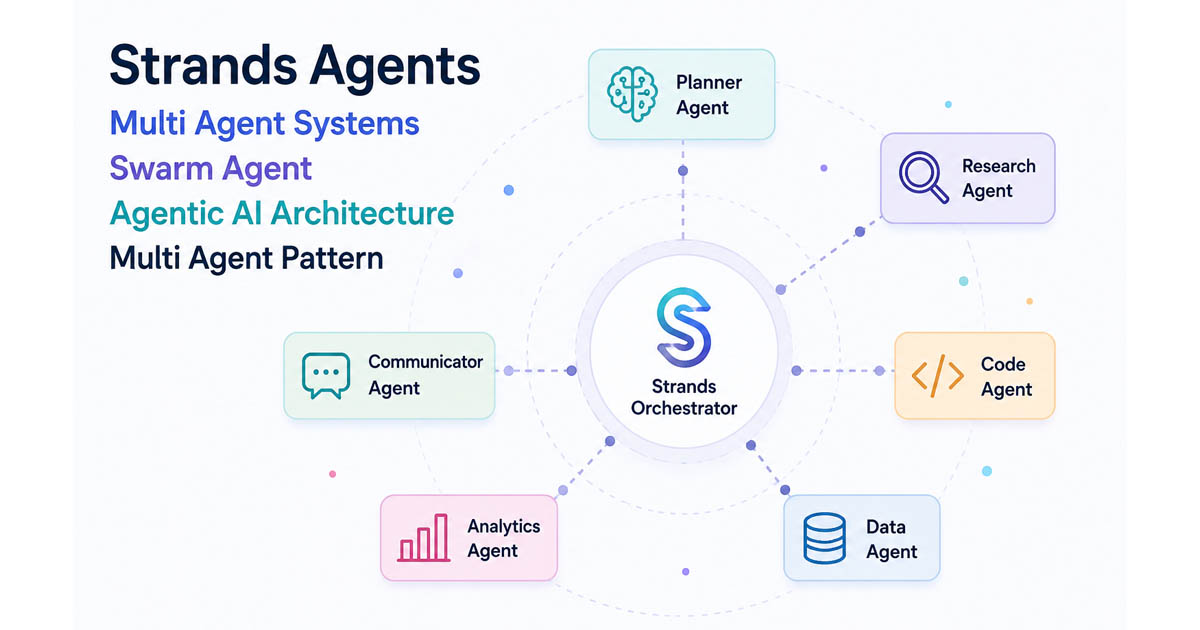
When I started building multi-agent systems with Strands Agents, the first decision I faced was architectural: which pattern fits my use case? Knowing what is available upfront saves you from reinventing the wheel — or worse, discovering mid-build that you picked the wrong structure.
Strands offers five distinct patterns. Understanding each one lets you pick the right fit for your problem, or deliberately combine them into a hybrid.
In my setup, understanding when each pattern fits made the difference between a system that worked cleanly and one that was fighting itself. This article walks through each pattern — what it does, a minimal example, and when it earns its place.
Pattern 1: Agents-as-Tools
The idea: one orchestrator agent treats specialized sub-agents as callable tools. The orchestrator decides which specialist to invoke, delegates, and synthesizes the result.

This is the most familiar structure if you have built tool-calling workflows before. The orchestrator is just a regular Agent, and the specialists are passed into its tools list. The SDK automatically wraps them.
from strands import Agent
research_agent = Agent(
    name="researcher",
    system_prompt="You research topics and return factual summaries."
)
product_agent = Agent(
    name="product_specialist",
    system_prompt="You recommend products based on requirements."
)
orchestrator = Agent(
    system_prompt="Route user queries to the right specialist and synthesize a response.",
    tools=[research_agent, product_agent]
)
result = orchestrator("I need hiking boots for a cold-weather trip to Patagonia")
The orchestrator calls researcher to understand the climate, calls product_specialist to get boot recommendations, and merges the two into a single response.
When to use it: simple hierarchical delegation where one coordinator drives everything, and sub-agents are stateless helpers. Easy to reason about, easy to test.
Official docs: Agents-as-Tools
Pattern 2: Swarm
The idea: a group of specialists shares working memory and hand off to each other autonomously — no central orchestrator decides the sequence.

A Swarm is initialized with a list of agents and an entry point. Each agent, after completing its turn, can decide to hand control to another agent in the swarm based on the shared context. The agents see the full task history and all contributions from predecessors.
from strands import Agent
from strands.multiagent import Swarm
researcher = Agent(name="researcher", system_prompt="You research topics.")
architect  = Agent(name="architect",  system_prompt="You design software systems.")
coder      = Agent(name="coder",      system_prompt="You write implementation code.")
reviewer   = Agent(name="reviewer",   system_prompt="You review code for correctness.")
swarm = Swarm(
    [researcher, architect, coder, reviewer],
    entry_point=researcher,
    max_handoffs=20,
    max_iterations=20
)
result = swarm("Design and implement a REST API for a to-do app")
Here, researcher starts, decides the architecture phase is ready, and hands off to architect, who hands off to coder, who hands off to reviewer — all without a conductor telling them to.
The SDK includes built-in safety rails: max_handoffs, max_iterations, per-node timeouts, and repetitive handoff detection to prevent agents from passing control back and forth indefinitely.
When to use it: collaborative, multi-disciplinary problems where the sequence is not known upfront, and agents need to self-organize around the task.
Official docs: Swarm Pattern
Pattern 3: Graph
The idea: you define nodes (agents or custom logic) and edges (dependencies or conditional transitions) explicitly. Execution follows the graph structure — deterministic, inspectable, and controllable.
Graph supports both acyclic DAGs and cyclic topologies (feedback loops). Parallel branches are natural: any nodes without a dependency on each other run concurrently. Conditional edges let you skip or redirect paths based on the result of a preceding node.
from strands import Agent
from strands.multiagent import GraphBuilder
researcher  = Agent(name="researcher",  system_prompt="Research the given topic.")
analyst     = Agent(name="analyst",     system_prompt="Analyze research findings.")
report_writer = Agent(name="writer",    system_prompt="Write a structured report.")
def analysis_needed(state):
    research_node = state.results.get("research")
    if not research_node:
        return False
    return len(str(research_node.result)) > 100
builder = GraphBuilder()
builder.add_node(researcher,    "research")
builder.add_node(analyst,       "analysis")
builder.add_node(report_writer, "report")
builder.set_entry_point("research")
builder.add_edge("research", "analysis", condition=analysis_needed)
builder.add_edge("analysis", "report")
graph = builder.build()
result = graph("Analyze the impact of AI on healthcare")
For feedback loops (e.g., a reviewer that sends work back to a writer until approved), you add cyclic edges and guard them with set_max_node_executions() and set_execution_timeout().
One important difference between Python and TypeScript: in Python, a node fires when any incoming dependency completes (OR semantics). In TypeScript, a node fires only when all dependencies complete (AND semantics). This matters when you have nodes with multiple incoming edges.
When to use it: pipelines with strict ordering, parallel workloads with explicit merge points, conditional branching, iterative review cycles, or any workflow where you need full visibility into what runs in what order.
Official docs: Graph Pattern
Pattern 4: Workflow
The idea: agents are chained in a fixed, developer-defined sequence. Each agent’s output becomes the next agent’s input. No dynamic routing, no autonomous handoffs — just a predictable pipeline.

Unlike Graph, there is no GraphBuilder or special orchestrator class. You wire the agents together in plain code, which makes Workflow the most explicit and auditable of all the patterns.
from strands import Agent
researcher = Agent(system_prompt="You are a research specialist.")
analyst    = Agent(system_prompt="You analyze research findings.")
writer     = Agent(system_prompt="You write polished reports.")
def run_workflow(topic):
    research_results = researcher(f"Research the latest developments in {topic}")
    analysis         = analyst(f"Analyze these findings: {research_results}")
    final_report     = writer(f"Write a report based on this analysis: {analysis}")
    return final_report
Independent tasks with no dependency between them can run in parallel — you handle that in your own code (e.g. asyncio.gather). No cycles are allowed; this is a strict DAG.
When to use it: multi-step processes with a clear, fixed order — data pipelines, document generation, onboarding flows, or any process where auditability and step-by-step traceability matter more than flexibility.
Official docs: Workflow Pattern
Pattern 5: Agent-to-Agent (A2A)
The idea: agents communicate across process or service boundaries using an open protocol. One agent exposes itself as an HTTP server; another consumes it as a remote agent.
This is not a standalone orchestration style — it is a transport layer that lets you slot remote agents into the other patterns. An A2AAgent client fetches the remote agent’s card (served at /.well-known/agent-card.json), resolves its name and capabilities, and communicates via JSON-RPC. From the consuming side, it behaves like any local agent.
# Remote side — expose an agent as an A2A server
from strands import Agent
from strands.multiagent.a2a import A2AServer
calculator = Agent(name="Calculator", description="Handles math operations", tools=[...])  # add your tools here
A2AServer(agent=calculator).serve()  # listens on port 9000 by default
# Consumer side — use the remote agent in a Graph or as a tool
from strands.agent.a2a_agent import A2AAgent
remote_calc = A2AAgent(endpoint="http://localhost:9000")
result = remote_calc("What is 10 to the power of 6?")
Remote agents can be used as tools in an orchestrator (agents-as-tools pattern) or as nodes in a Graph. They are not currently supported inside a Swarm.
When to use it: distributed architectures where specialists run as independent services, cross-team agent integration, or when you want to consume agents from external providers.
Official docs: A2A Protocol
How the Patterns Differ
The clearest distinction is where control sits: in agents-as-tools the orchestrator LLM makes every routing decision; in Swarm each agent makes its own handoff decision; in Graph the developer encodes the routing logic in code — making it the only pattern where every transition can be inspected, tested, and version-controlled; in A2A the routing lives in whatever host pattern is wrapping the remote agent.
Conclusion
None of these patterns is universally better than the others — what matters is the shape of your problem. In my experience, agents-as-tools covers the majority of straightforward delegation tasks with minimal setup. Graph earns its complexity budget when you need predictable pipelines, parallel branches, or observable execution. Swarm is the right tool when the sequence genuinely cannot be known upfront, and specialists need to self-organize. A2A is less a pattern and more infrastructure — you reach for it when agents need to live in separate services or teams.
Start simple, and let the problem’s structure tell you which pattern fits — not the other way around.
References
Author
Noor Sabahi | GAI Practice Manager | AWS Ambassador
#StrandsAgents #MultiAgent #AIAgents #GenerativeAI #Agent2Agent #AgentOrchestration #LLM #MultiAgentSwarm #MultiAgentWorkflow